Camera Enablement Packageのインストール(GMSLカメラ)#
Camera Enablement Packageには、Basler ace 2 GMSLカメラでの動作テスト済みでサポートされているホストシステム向けの設定がすぐに使える状態で含まれています。ホストシステム用のCamera Enablement Packageをダウンロードするには、こちらを参照してください。
はじめに#
Camera Enablement Packageのインストールを開始する前に、以下の要件を満たしていることを確認してください。
- UbuntuのAPTミラーにアクセスできるインターネット接続が必要です。
ホストシステムの構成やインストールされているソフトウェアによっては、ソフトウェアのインストール中に、ディストリビューション固有の追加パッケージのインストールが必要になる場合があります。これらのパッケージは、Camera Enablement Packageのインストール時にインターネットから自動的にインストールされます。 - ホストシステムにpylon Software Suite for Linuxがインストールされている必要があります。
Camera Enablement Packageのインストール#
GMSLカメラ用Camera Enablement Packageをインストールするには:
- BaslerウェブサイトのGMSL Vision Systemページの「All Camera Enablement Packages at a glance」セクションで、サポートされているホストシステムを選択します。
-
選択したホストシステムのCamera Enablement Package列にあるリンクをクリックします。
2つのダウンロードオプションへのリンクが表示されたDownload Softwareウィンドウが開きます。
selfshファイルまたはtar.gzファイルをダウンロードできます。
さらに、ReadMeファイルやリリースノートにもアクセスできます。
次のステップではselfshオプションを使用する場合を示しています。 -
selfshファイルのリンクをクリックします。
selfshファイルがコンピューターのDownloadsフォルダーに保存されます。 -
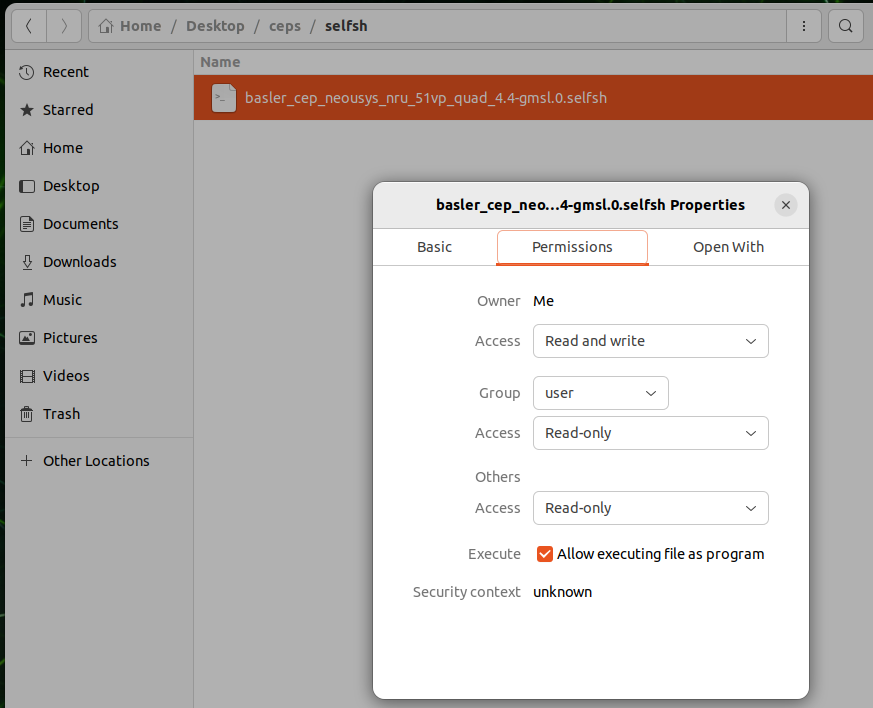
selfshファイルを実行可能ファイルに設定していることを確認します。
- selfshファイルを右クリックします。
- Properties > Permissionsタブに移動し、Allow executing file as programチェックボックスをオンにします。
-
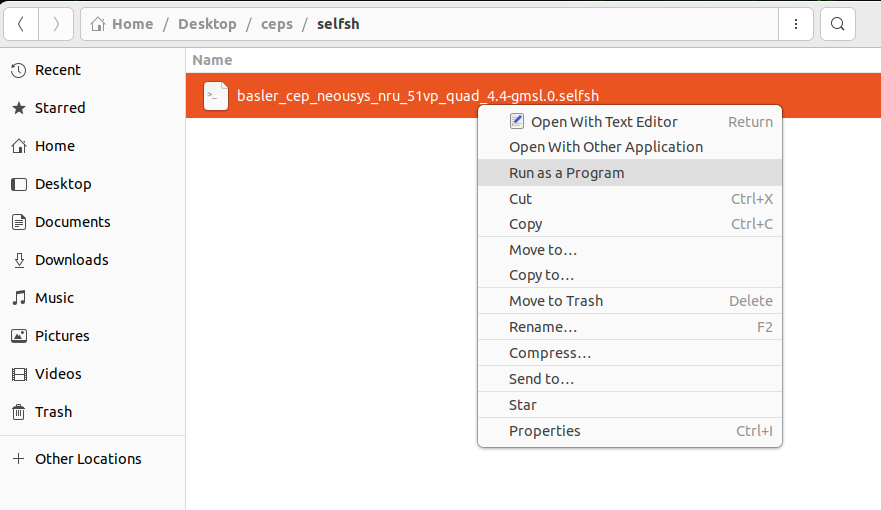
ダウンロードしたCamera Enablement Packageの.selfshファイルを右クリックし、Run as Programを選択します。
-
Terminalウィンドウで:
Linuxのユーザーパスワードを入力し(スクリプトに拡張アクセス権限が必要です)、Enterキーを押します。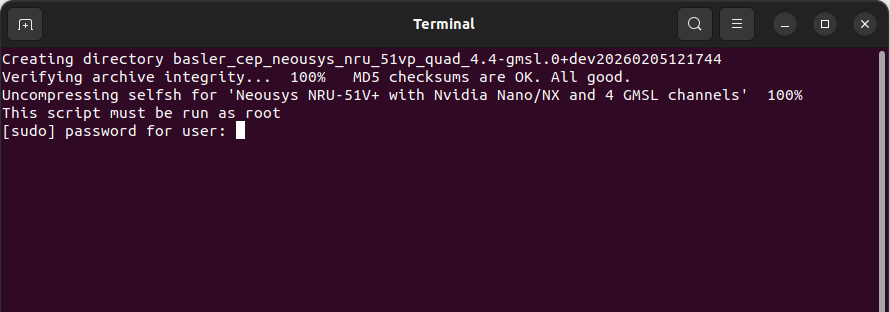
-
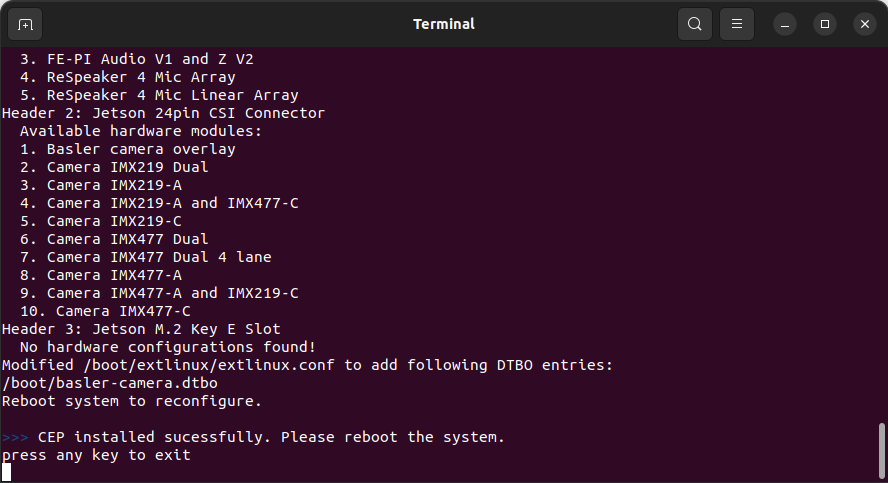
selfshファイルが自動的に展開され、ディストリビューション固有の追加パッケージがホストシステムの対応するフォルダーに自動的にインストールされます。
-
パッケージのインストールが正常に完了したら:
いずれかのキーを押してTerminalウィンドウを終了します。 - Software Enablement Packageのインストール後:
次のインストールステップ(ハードウェアのインストール)を実行するために、システムをシャットダウンします。
次のステップ#
次のステップの詳細については、Hardware Installation (GMSL Cameras)トピックを参照してください。