Image Concatenation vTool#
Image Concatenation vToolを使用するには、pylon Software Suiteをダウンロードしてください。
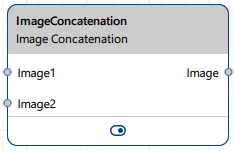
仕組み#
画像は水平方向または垂直方向に結合できます。また、水平方向および垂直方向のオフセットを指定して、ピクチャ・イン・ピクチャ効果を作成したり、画像を斜めに配置したりすることもできます。画像が重なり合う場合、Image2入力ピンの画像がもう一方の画像の手前に表示されます。オフセットは、Image2入力ピンの画像にのみ適用されます。
位置のオフセットや画像サイズの差異などにより、画像が出力キャンバスを完全に覆わない場合、隙間が生じることがあります。これらは、どちらの入力画像もピクセル情報を提供しない領域です。長方形の出力画像を維持するには、Padding Valueパラメータを使用してこれらの隙間を埋めます。0から255までの階調値を指定します。16ビット画像の場合、この値は自動的にスケーリングされます(257倍されます)。
入力画像はsame Pixel Formatである必要があります。
同じ入力ソース(例: 1つのCamera vTool)または2つの入力ソース(例: 2つのCamera vTool)からの画像を結合できます。2つの入力ソースがある場合は、Data Synchronizer vToolを使用してこれらの入力を同期させる必要があります。同期されていないと、正しく結合できなくなるため、断続的なエラーが発生する可能性があります。
vToolの設定#
Image Concatenation vToolを設定するには、Workbenchでダブルクリックします。利用可能なすべての設定が表示されたダイアログが開きます。または、Features - Allペインでも同じ設定を見つけることができます。
画像結合の結果は、pin data viewで確認できます。
入力#
Image1#
Camera vToolまたは画像を出力するその他のvToolから直接画像を受け入れます。
- データ型:Image
- 画像フォーマット:8ビットおよび16ビットのモノクロまたはカラー画像(Supported Pixel Formatsを参照)
Image2#
Camera vToolまたは画像を出力するその他のvToolから直接画像を受け入れます。
- データ型:Image
- 画像フォーマット:8ビットおよび16ビットのモノクロまたはカラー画像(Supported Pixel Formatsを参照)
出力#
画像#
入力画像と同じPixel Formatで結合された画像を出力します。出力の寸法は、入力画像のサイズとオフセットの設定によって異なります。
- データ型:Image
- 画像形式:カラーまたはモノクロ画像(「サポートされるピクセルフォーマット」を参照)
サポートされているPixel Format#
次の Pixel Format がネイティブでサポートされています:
- Mono 8
- Mono 16
- Bayer XX 8
- Bayer XX 16
- RGB 8
- RGB 16
- BGR 8
- BGR 16
- BGRA 8
- BGRA 16
以下のフォーマットが受け付けられ、処理の前に内部で変換されます:
- YCbCr422_8
- YUV422_8
関連するvTools#
典型的な先行機#
典型的な後継機#
- Imageデータ型の入力を受け付けるすべてのvTool。