pylonを使用したファームウェアの更新#
GrabberFirmwareUpdaterのツール#
GrabberFirmwareUpdater ツールは、Windows 版 pylon Software Suite バージョン 6.3 以降に付属しています。
このツールは、%programfiles%\Basler\pylon[version]\Runtime\x64\pylonCXP\binディレクトリにあります。
利用可能なすべてのオプションとパラメータの概要を表示するには、次のコマンドでツールを実行します。 --help オプション:
GrabberFirmwareUpdater --help
ファームウェアバージョン#
ファームウェアバージョンは、次の3つの部分に分かれています。
- 動的ファームウェアバージョンは、メジャーバージョンとマイナーバージョンの形式で提供されます(例:1.0)。
- 静的バージョンはSで始まり、メジャーバージョンとマイナーバージョンの形式で提供されます(例:S1.2)。
- PCIeコアバージョンはPで始まり、メジャーバージョンの形式で提供されます(例:P0)。
動的ファームウェアはアプレットに完全に統合されており、フラッシュされたファームウェアの一部ではありません。そのため、ファームウェアフラッシュファイルには動的ファームウェアバージョンが記載されません。GrabberFirmwareUpdater では、静的バージョンと PCIe コアバージョンのみが使用されます。
アプレットは特定の静的バージョンとのみ互換性があります。通常、pylon のインストールごとに、アプレットに必要なバージョンに一致するファームウェアアップデートファイルが提供されます。PCIe コアは、アプレットと同様に静的バージョンに依存します。新しい静的バージョンごとに 0 から始まります。たとえば、S1.1 P1 から S1.2 P0 へのアップデートは、PCIe コアバージョンのダウングレードを意味するものではありません。
情報
前世代の Basler フレームグラバー(microEnable 5 marathon シリーズ)とは異なり、アプレットはボードにフラッシュされません。アプレットは、インストールされているファームウェアバージョンに一致している限りロードできます。
ファームウェアの更新はパーティション分割されており、ファームウェアを安全に更新するために、2つのパーティションが用意されています。電源障害など、ファームウェアの更新プロセス中に何か問題が発生した場合は、片方のパーティションのみに障害が発生する可能性があります。他方のパーティションが自動的に使用されます。
ファームウェア更新の確認#
利用可能なアップデートを確認するには、オプションやパラメータを指定せずに GrabberFirmwareUpdater ツールを実行します:
GrabberFirmwareUpdater
次の例では、システムに2つのボードがあり、1つに更新が必要です。
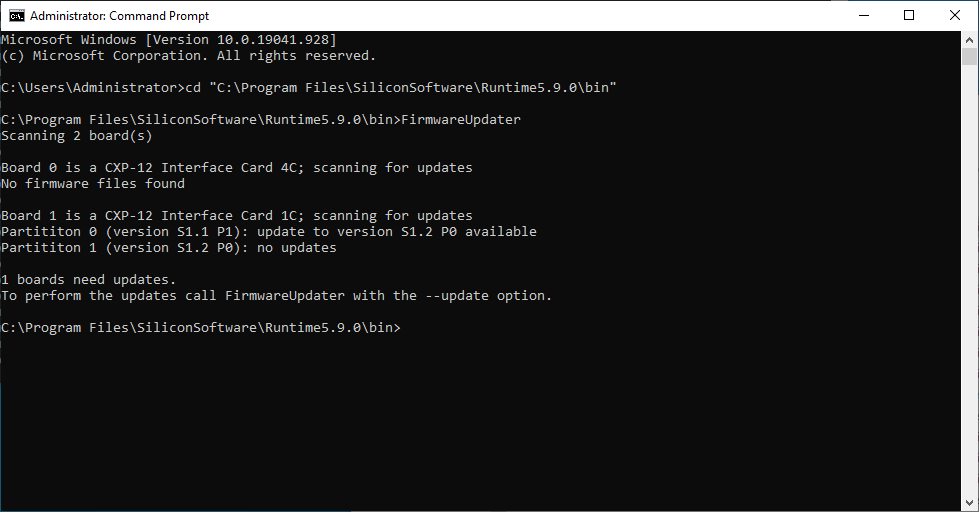
ファームウェアの更新が必要なボードがある場合、GrabberFirmwareUpdaterツールにより短いメッセージが出力されます。
ファームウェアのアップデート#
フレームグラバーのファームウェアをアップデートするには、以下を使用します: --update オプション:
GrabberFirmwareUpdater --update
情報
GrabberFirmwareUpdaterを実行しているウィンドウを閉じないでください。また、Ctrl+Cを押したり、他の方法で更新プロセスを中断したりしないでください。すべての更新が完了する前に、コンピューターをシャットダウンしたり、電源を切ったりしないでください。
更新プロセス中、アクティビティーと進行状況が単純な進行状況バーで表示されます。GrabberFirmwareUpdaterは、すべての更新を自動的に実行します。
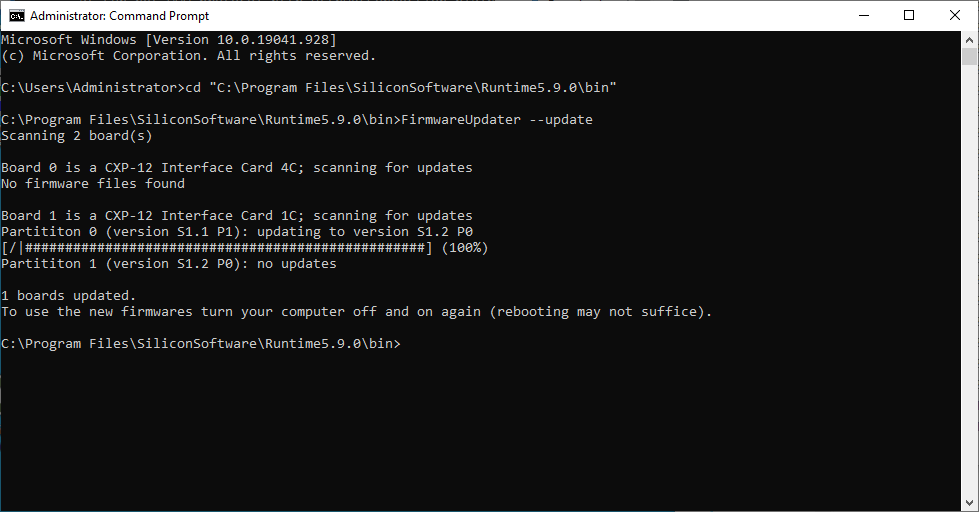
更新プロセスが終了すると、簡単な概要が表示され、コンピューターの電源を切るように求めるメッセージが出力されます。電源投入時にファームウェアがロードされるため、更新されたファームウェアをアクティブにするには、コンピューターの電源を入れ直す必要があります。
古いファームウェアバージョンへのダウングレード#
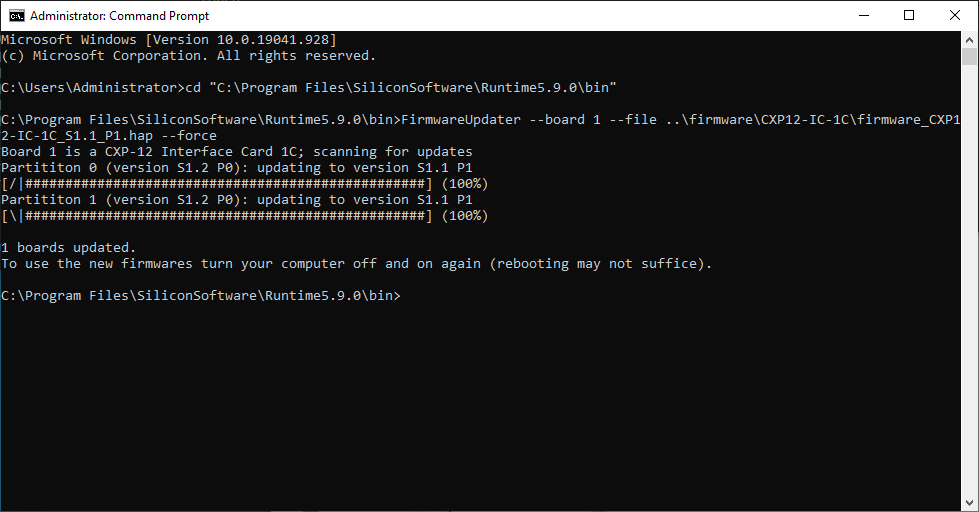
フレームグラバーに特定の古いファームウェアバージョンが必要な場合は、パラメータ --board <id>, --file <path> およびオプション --force を組み合わせて使用する必要があります:
GrabberFirmwareUpdater --board 0 --file ..\firmware\CXP12-IC-1C\firmware.hap --force
GrabberFirmwareUpdaterの出力は、更新プロセス中の出力と同じです。
情報
フレームグラバーファームウェアのダウングレードは、フレームグラバーにインストールされている静的バージョンと一致するアプレットを提供するpylonバージョンを使用してのみ可能です。