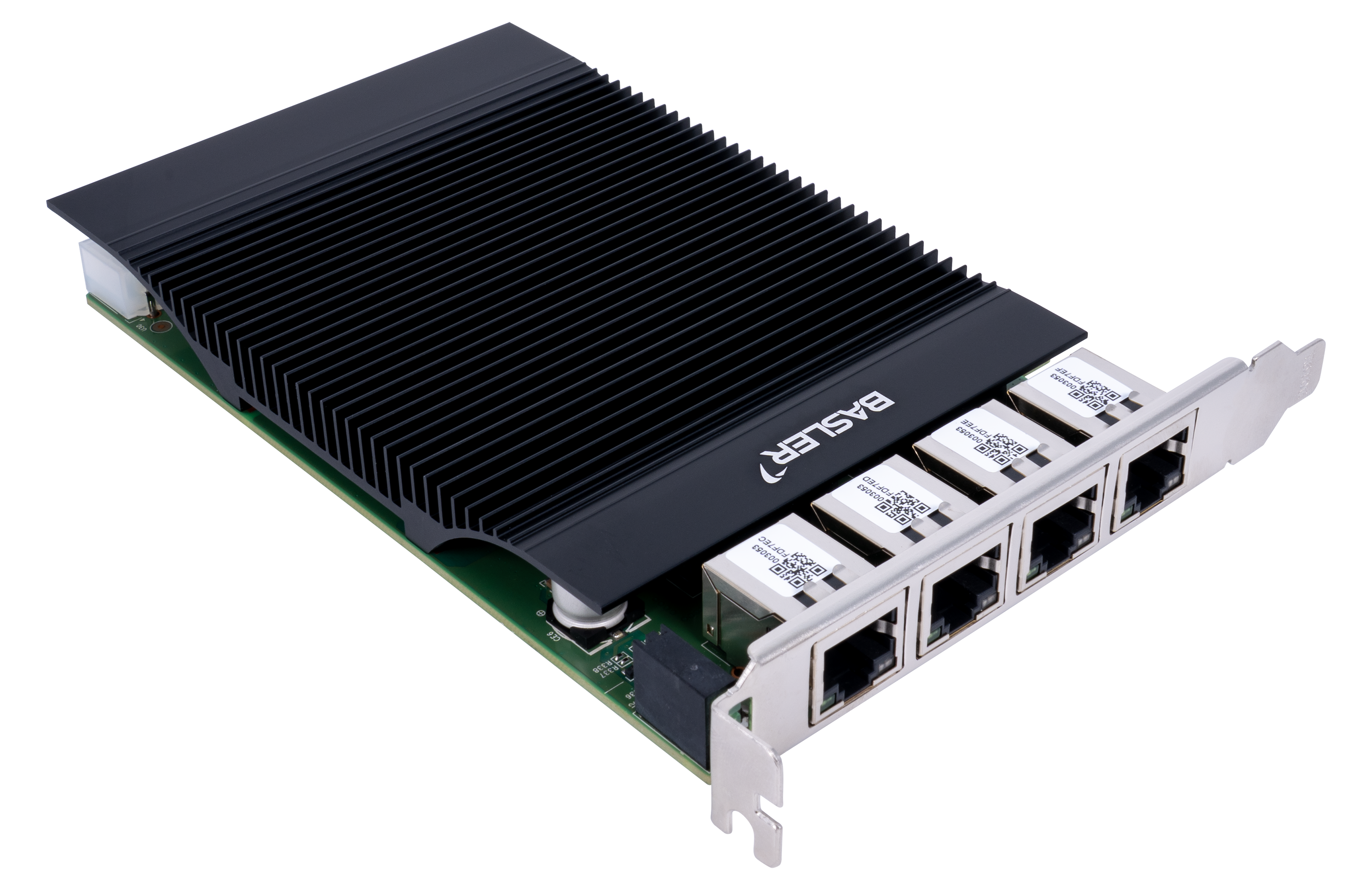
Basler 2.5GigE Interface Card, 4-CH PoE+#
情報
- Windowsでこのインターフェイスカードを動作させるには、Microsoftドライバー ストアから互換性のあるドライバーをインストールする(推奨)か、Intel I226イーサネット コントローラー用の正しいIntelドライバーを使用する必要があります。ドライバーは、2.5GigE Interface Card, 4 Port PoE+ の製品ページにある仕様 / ソフトウェアからダウンロードできます。または、Intelのウェブサイトから最新のドライバーをダウンロードすることもできます。
- Linuxでは、通常、Linuxカーネルによってインターフェイスカードがネイティブサポートされています(igcドライバーなどを使用)。
主な機能#
- GigE Visionの検証済み
- Power over Ethernet+ (PoE+)、1ポートあたり最大30 W(4ポート合計で最大90 W)
- ハードウェアスイッチによるPoEのオン/オフ制御
- IEEE 1588 Precision Time Protocol(PTP)
- オートネゴシエーション(2.5 Gbps、1 Gbps、100 Mbps、10 Mbps)
- 識別を簡素化するためのBasler割当てMACアドレス範囲の使用
一般仕様#
| 2.5GigE Interface Card, 4-CH PoE+ | |
|---|---|
| 注文番号 | 2200002428 |
| イーサネットコントローラー | Intel I226 |
| ポートの数 | 4 |
| ポート | RJ45 |
| データレート | 2.5 Gbps / 1 Gbps / 100 Mbps / 10 Mbps |
| 追加のロープロファイルブラケット | いいえ |
| PCIeのバージョンとレーン | 2.0 x4 |
| サポートされている規格 | IEEE 802.3 IEEE 802.3u (100BASE-TX Fast Ethernet) IEEE 802.3ab (1000BASE-T Gigabit Ethernet) IEEE 802.3bz (2.5GBASE-T および 5GBASE-T。カードは最大 2.5GBASE-T で動作) IEEE 802.3x (イーサネット フロー制御) IEEE 802.3at (PoE+) |
| 追加機能 | IEEE 1588 Precision Time Protocol (PTP)、UEFI、Wake on LAN (WoL)、ジャンボフレーム(最大 9.2 kB) |
| 電源/PoE+ 入力 | PCIeスロットからの12 V DC、または 4ピンMolexコネクタからの12 V DC |
| PoE+ 出力 | 1ポートあたり最大30 W、4ポート合計で最大90 W |
| PoEコントロール | ハードウェアスイッチによるPoEのオン/オフ制御 |
| ケーブルの種類と長さ | Cat5e、Cat6a、またはCat7。最大100 mの距離をサポート |
| 電気的保護 | ESD 最大8 kV、サージ保護 2 kV |
| 適合性 | CE、FCC、RoHS、KC 2.5GigE Interface Cardの証明書 詳細については、Baslerウェブサイトのコンプライアンスセクションを参照してください。 |
| 消費電力(カードの電子回路) | 最大 9.36 W |
| ジャンボフレームの 最大パケットサイズ | 最大 9.2 kB |
ジャンボフレーム
ジャンボフレームの最大パケットサイズを使用する場合は、説明に従ってネットワークアダプターを最大値に設定します。 ネットワークの設定(GigEカメラ) トピック。また、 GevSCPSPacketSize パラメーターを最大サイズに設定します。ほとんどの Basler ace 2 カメラは最大8192バイトのパケットサイズのみをサポートしていることに注意してください。
LEDステータス#
| LED | 2.5 Gbps 時の状態 | 1 Gbpsでの状態 | 100 Mbps/10 Mbps 時の状態 | 意味 |
|---|---|---|---|---|
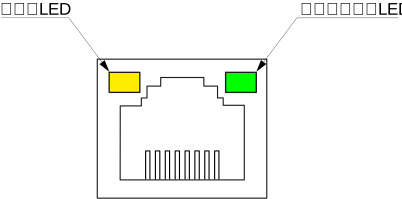
| リンクLED | 緑点灯 | オレンジ色点灯 | Off | ホストへの接続が確立されています |
| ネットワークLED | 緑に点滅 | 緑に点滅 | 緑に点滅 | ネットワークトラフィックがアクティブです |
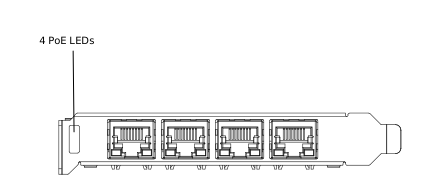
| PoE LED | 緑点灯 | 緑点灯 | 緑点灯 | PoE 経由でデバイスに電源が供給されています |
リンクLEDとネットワークLED#
PoE LED#
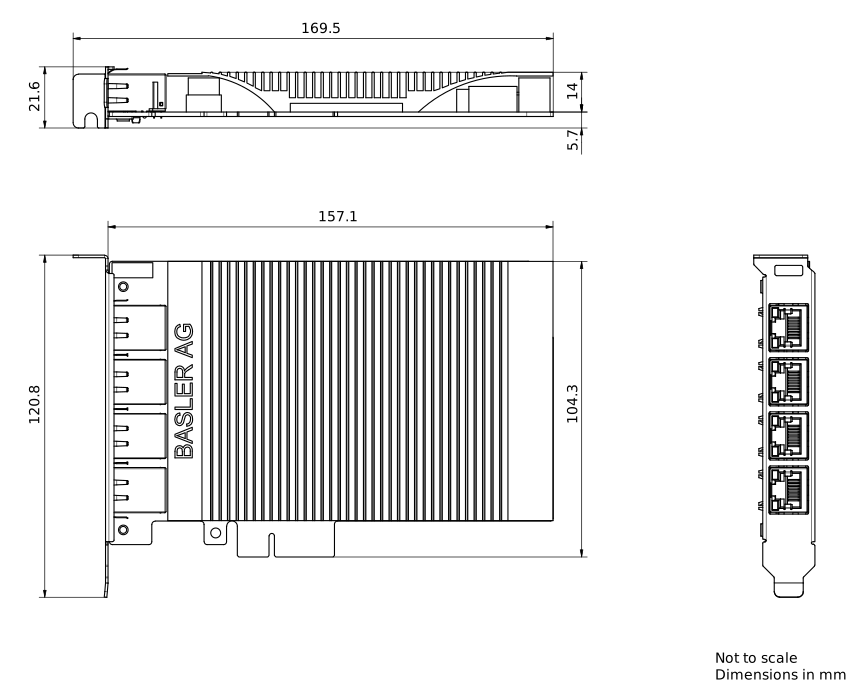
GigEインターフェースカードの寸法#
環境要件#
Basler GigEインターフェースカードは屋内使用専用です。
| 動作温度 | 0~55°C(32~131°F) |
| 保管温度 | -40~70 °C (-40~158 °F) |
| 湿度 | 最大相対湿度90%、結露なきこと(35 °Cで規定) |
動作中の温度が規定範囲内に収まるよう、十分な空気循環を確保してください。通常、追加の冷却装置は不要ですが、必要に応じて設置してください。