Skip to content
STAGING SERVER
DEVELOPMENT SERVER

How to Save a Sequence of Images in microDisplay X#

It is possible to save a sequence of images in microDisplay X. The following instruction explains how to do that:

  1. In microDisplay X, load an applet.
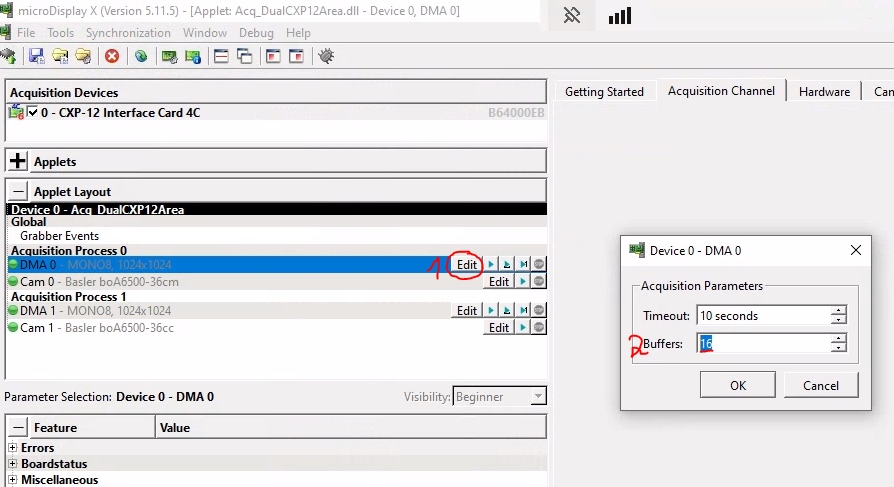
  2. Choose the DMA where you want to acquire the sequence of images.
  3. Click Edit and define the desired number of Buffers that should be acquired and saved:

    microDisplay X: Edit Buffer for Images

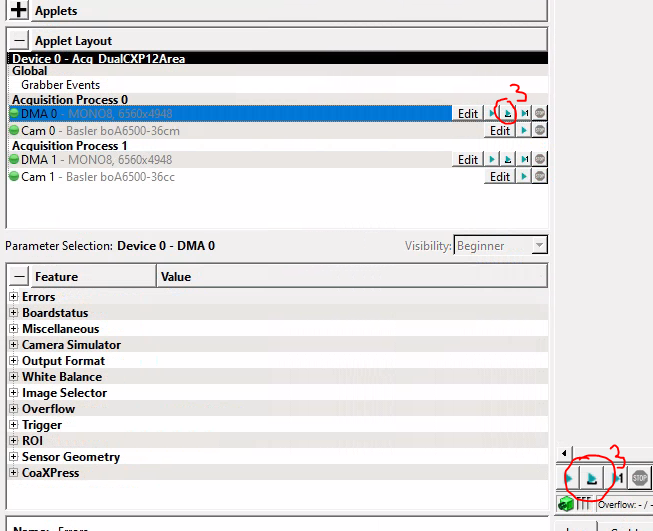
  4. Then acquire the images using the Grab Frame Sequence button either in the applet layout window or in the image window:

    microDisplay X: Grab Sequence

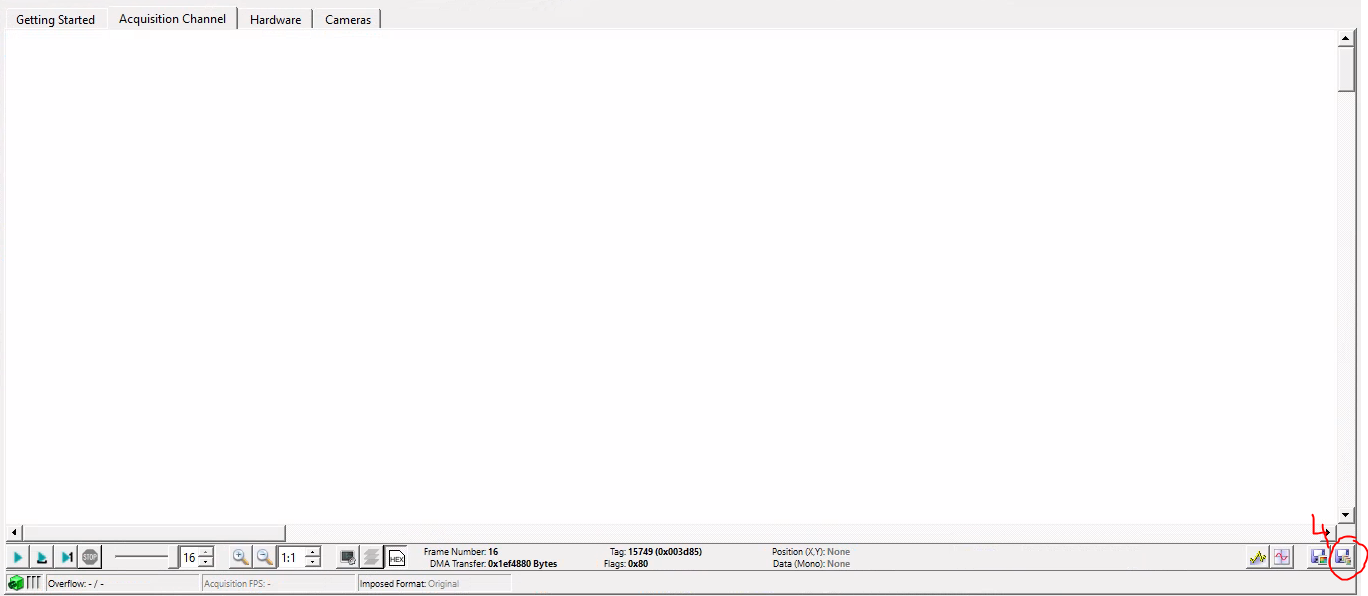
    In the "Frame Number" indicator in the image window you can see whether image acquisition has been successful. Save the image sequence to any folder on the PC using the Save Current Sequence button as TIF or RAW format:

    microDisplay X: Save Current Sequence

    It is also possible to save only the latest displayed single image with the Save Current Frame button on the left.

Back to Knowledge Articles